
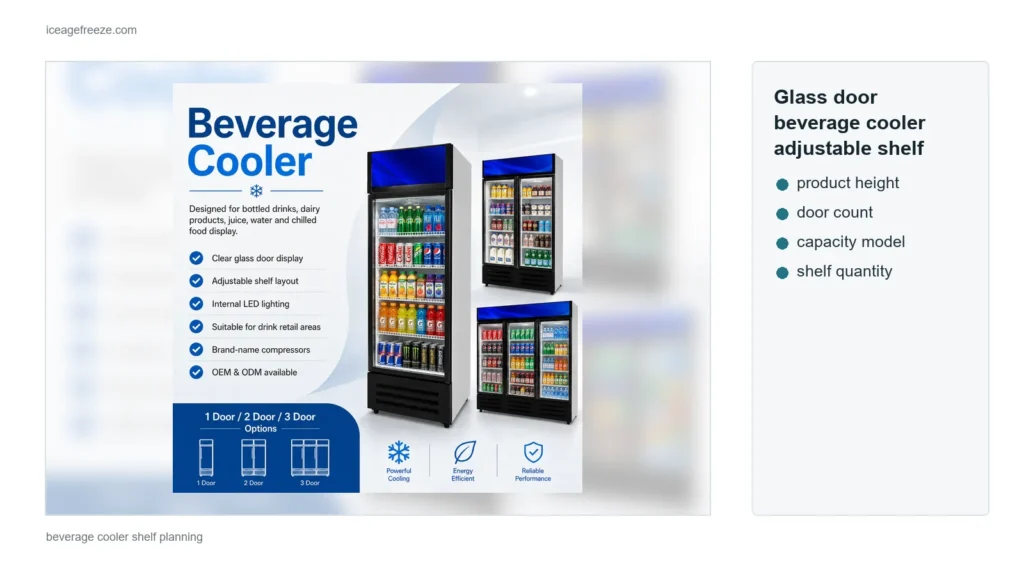
The beverage cooler product line lists a 0 to 10 °C operating range, and everything after that number is a store decision. The same cabinet can display bottled drinks, dairy products, juice, water and chilled snacks, and those products carry different holding requirements. The thermostat dial is a starting point, not the product temperature, and the glass door does not cool warm stock instantly. This guide covers how to set a mixed display inside the listed range, where to measure, what moves the reading, and when a reading is a service question.
What the 0-10 C Range Means
The 0 to 10 °C figure describes the cabinet's listed operating range, not a guarantee that every shelf reads the same number at every moment. Cabinet temperature moves with door openings, restocking, room temperature and product load, and readings differ between shelves in an upright cabinet. Two rules follow. First, the thermostat setting is a control position, not a measurement; the only reading that counts comes from a thermometer placed at product level. Second, the cabinet's job is to hold the setting, while the food producer's label decides what that setting must be.
Match the Setting to the Product Mix
Start from the products, not from a favorite number. Bottled water, juices and carbonated drinks tolerate the milder end of the range and are usually displayed for speed of sale. Dairy and fresh chilled snacks carry label storage requirements that typically sit at the colder end of the range. A mixed cabinet therefore follows a simple hierarchy: if any product on the shelves has a maximum holding temperature on its label, the cabinet setting has to hold at or below that figure, and the coldest shelf positions go to the most temperature-sensitive products.
When the label's requirement is close to the limit of the listed range, check the requirement against the selected model before promising performance. A display of drinks-only can run milder; a dairy-heavy display cannot simply borrow the drinks setting. Where a store sells frozen products alongside, those belong in a chest freezer, not in a cooler tuned to a chilled range.
Set the Thermostat in Small Steps
Change the setting in small steps and wait between them. Cabinet temperature moves slowly, and a large adjustment overshoots, leaving the display too cold or too warm hours later when the staff has gone home. A useful routine: move one step, wait for the cabinet to settle with its normal load and door traffic, take a reading at the fixed probe position, and only then decide whether another step is needed. The log makes each step visible, so the final setting has a history instead of a guess.
Where to Measure
Measure at product level, on the shelf holding the most sensitive product, and in the middle of the shelf rather than at the glass. The door area is the warmest, most variable zone, and a reading taken there overstates the problem. Use the same position every time, note it in a small log, and compare readings from the same spot over days instead of chasing numbers from different locations.
A probe placed between products reads the load, not the air around it, which is the number that matters. Wait for the reading to settle after a restocking event before treating it as a steady state.
Confirm How Cooling Is Distributed
The product line lists direct cooling for the beverage cooler range. Ask the supplier how cooling is distributed inside the selected model and where the coldest positions sit, because that answer decides where the sensitive stock goes. The shelf plan, the probe position and the setting are one system: the probe belongs where the most temperature-sensitive product actually sits, not where a previous cabinet happened to be coldest.
What Moves the Reading
Four store factors move the reading more than the thermostat does:
- Warm restocking loads. Cartons of room-temperature drinks or dairy pull the cabinet temperature up for a while after loading; small, staged restocking loads disturb the display less than one large warm drop.
- Door opening frequency. Every opening exchanges cold air for warm room air, and a busy hour raises the average; a cabinet near the counter or checkout opens more than one in a quiet aisle.
- Heat sources and sun. Direct sunlight, radiators, hot kitchen air or a warm wall behind the cabinet add load the cooling system has to remove; position affects the reading as much as the setting.
- Airflow and door condition. Blocked vents, a door that stays slightly open, or a worn seal leak cold air; see the door-seal observation guide for what to record before calling service.
A Repeatable Check Routine
A five-minute routine turns temperature from a worry into a record:
- Pick one probe position on the sensitive shelf and one check time, and keep both fixed.
- Log the reading together with the time, the door state, and whether a restocking load went in during the previous hour.
- Compare today's reading with the same-position readings from previous days, not with a single past number.
- If a reading sits above the product label's limit, reposition the most sensitive stock and re-check before changing any setting.
- Record any change made — shelf position, thermostat step, restocking schedule — so the next reading has context.
The log is what makes a later service conversation useful: a technician sees a history instead of a single complaint.
A Two-Minute Staff Briefing
The routine only works if the shift staff know the two rules that protect it: warm stock cools slowly, so stage restocking in small loads, and the probe position never moves without a note in the log. One line of training per shift — where the probe sits, where the log is, what counts as a warm reading — keeps the record consistent when different people check on different days.
When to Call Service
A service call is warranted when the pattern changes, not when one warm reading appears. Treat these as triggers: a sustained reading above the label limit across a full day, product that feels warm to the touch rather than cool, water pooling inside or outside the cabinet, glass misting that appears where it did not before, or a door that stops closing firmly. Record the readings, photos and times first; a misting observation log helps the same conversation.
What to Confirm When Ordering
The buying questions follow the same logic. Confirm the selected model's listed range (the product line lists 0 to 10 °C), the thermostat type and where the sensor reads, the shelf configuration, and whether the model suits the intended product mix — a beverage cooler ordered for dairy carries different expectations from one ordered for bottled water. For stores that also sell frozen stock, plan the chest freezer line separately so each cabinet is set for its own range.
Related Options
- Beverage Cooler Door-Seal Observations to Record Before Service — the most common cause of a drifting reading, with a recording method.
- Glass-Door Beverage Cooler Restocking: Shelf Maps, Product Facing, and Handoff Records — how restocking routines keep the display and the temperature stable together.
- Chest freezer product line — the complementary frozen-storage option: the beverage cooler holds chilled display products, the chest freezer holds frozen stock; the two ranges are not interchangeable.
Send Your Product Mix With the Inquiry
For a beverage cooler quotation, send the intended product mix, door count, and the coldest label requirement the cabinet must hold, through the contact page. A cooler specified against its real products gets a setting and a shelf plan that the labels actually allow.